


Choosing the right technology can make everyday tasks easier, whether you are attending online classes, working from home, managing documents, or enjoying entertainment. HP offers a broad range of devices designed for different needs, including laptops, desktop computers, printers, monitors, keyboards, and mice.
The best HP products for everyday use are not necessarily the most expensive models. Instead, the ideal choice depends on your budget, how frequently you use your device, and the tasks you need it to handle. From versatile laptops to practical home-office accessories, these are some HP product lines worth considering.
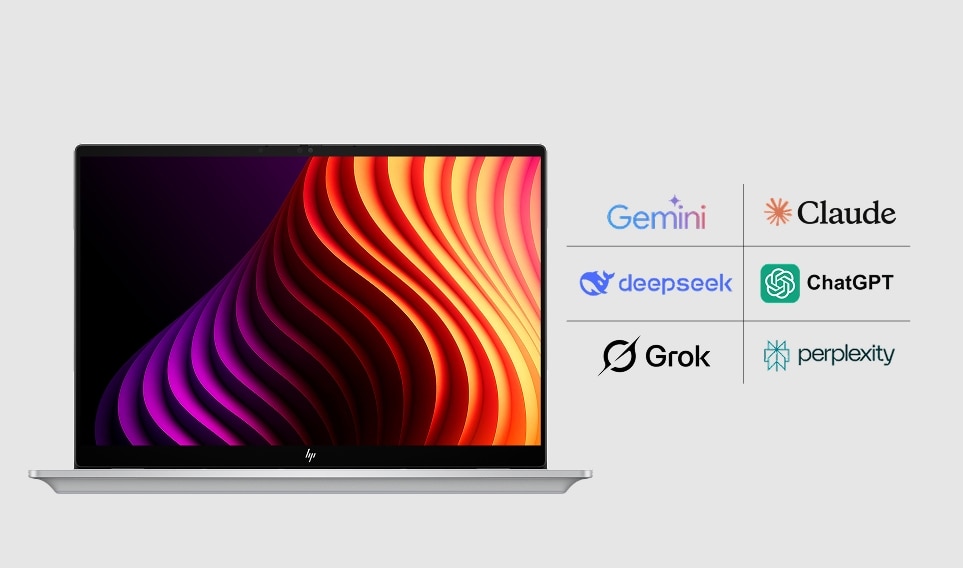
1. HP OmniBook Series — Best for Everyday Computing
The HP OmniBook range is designed for users who want a modern laptop for productivity and everyday computing. Depending on the model, these laptops can be suitable for students, professionals, and families who need a computer for documents, video calls, browsing, and streaming.
Why consider it?
- Suitable for everyday work, study, and entertainment.
- Available in different configurations to suit varying performance needs.
- Some models offer touchscreen displays or convertible designs.
- Portable options can be convenient for commuting and travel.
Pros
- Versatile for everyday tasks.
- Multiple configurations and form factors.
- Higher-tier models can handle demanding productivity workloads.
Cons
- Pricing varies considerably across the range.
- Premium configurations may be unnecessary for basic browsing and documents.
Best for: Students, professionals, and people who need a laptop for several daily activities.
2. HP 15 Series — Best for Budget-Conscious Users
For people who prefer a straightforward laptop for everyday tasks, the HP 15 series is worth exploring. Depending on the configuration, it can handle web browsing, email, online learning, spreadsheets, video calls, and general office work.
When choosing a model, look beyond the product name. Processor generation, memory, storage, display quality, and battery capacity can vary between versions.
Why consider it?
- Practical for common computing tasks.
- Often available in a variety of configurations and price ranges.
- A larger display can be comfortable for working with documents and watching videos.
Pros
- Good fit for everyday computing needs.
- Plenty of configuration choices.
- Useful for home, school, or office tasks.
Cons
- Entry-level configurations may struggle with demanding creative applications.
- Some versions may be less portable than compact laptops.
Best for: Home users, students, and people looking for a general-purpose laptop.
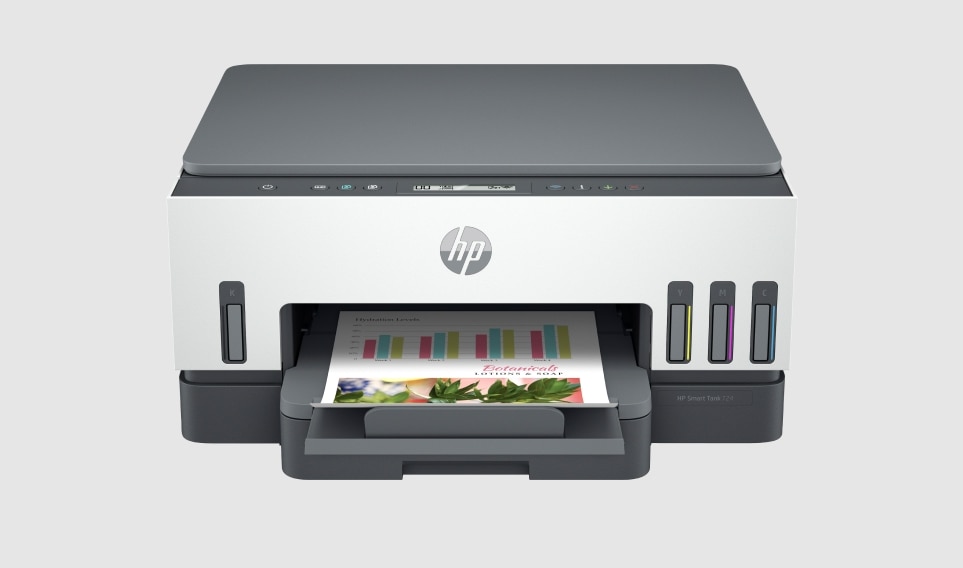
3. HP Smart Tank Printers — Best for Frequent Home Printing
A printer can be useful for school assignments, invoices, forms, study notes, and personal documents. HP Smart Tank printers use refillable ink tanks, making the range worth considering for households that print regularly.
Many models offer all-in-one functionality, combining printing, scanning, and copying. Wireless capabilities depend on the particular model.
Why consider it?
- Refillable ink tanks can be economical for frequent printing.
- Selected models combine several document-handling functions.
- Useful for families, students, and small home offices.
Pros
- Suitable for regular document printing.
- Ink-tank designs can reduce the cost per page compared with some cartridge-based options.
- Multifunction models save desk space.
Cons
- The initial purchase price can be higher than that of basic printers.
- Print quality, speed, connectivity, and included features vary by model.
- Infrequent printing still requires sensible ink maintenance.
Best for: Households and small offices that print documents frequently, including colour pages.
4. HP LaserJet Printers — Best for Text and Office Documents
If your everyday printing mainly involves black-and-white documents, a suitable HP LaserJet model may be a better match. Laser printers are particularly useful for reports, business paperwork, forms, and other text-heavy documents.
Some models focus on printing alone, while multifunction versions also support scanning and copying. Wireless connectivity is available on selected models.
Why consider it?
- Well suited to regular black-and-white document printing.
- Laser printing can be convenient for text-heavy workloads.
- Useful for home offices and small businesses.
Pros
- A practical option for frequent document printing.
- Toner does not dry out in the same way as liquid ink.
- Some models offer relatively fast printing.
Cons
- Colour laser models generally cost more than basic monochrome options.
- Toner replacement can be expensive upfront.
- Not every model includes scanning, copying, or wireless connectivity.
Best for: Remote workers, home offices, and users who print mostly text documents.
5. HP Monitors — Best for a More Comfortable Workspace
A dedicated monitor can make a major difference if you spend hours working on a laptop or desktop. HP offers monitors in different sizes and feature levels, from everyday Full HD displays to higher-resolution productivity models.
A monitor can provide more room for spreadsheets, documents, research, and side-by-side windows. It can also make a home workstation feel more organised.
Why consider it?
- More screen space for multitasking.
- Useful for office work, online learning, and entertainment.
- Various sizes and display specifications are available.
Pros
- Can improve workspace comfort and productivity.
- Makes working with multiple windows easier.
- Available at different price points.
Cons
- Requires desk space and a suitable connection.
- Display quality and ergonomic adjustments vary by model.
- A monitor alone does not replace a computer.
Best for: Remote workers, students, and anyone who regularly works at a desk.
6. HP Wireless Keyboard and Mouse Combos — Best Everyday Accessories
Small accessories can improve the convenience of a computer setup. HP wireless keyboard and mouse combinations are worth considering for people who want a tidier desk and more freedom to position their input devices.
Depending on the model, a combo may connect through a USB receiver and require batteries. Wired alternatives are also available for users who prefer a simple connection without battery changes.
Why consider it?
- Helps create a more organised workspace.
- Suitable for typing, browsing, and general office tasks.
- Wireless options reduce cable clutter.
Pros
- Easy to use for everyday computing.
- Convenient for home and office desks.
- Wired and wireless choices are available.
Cons
- Wireless models may require battery replacement.
- Key feel, mouse shape, and additional features differ between models.
- Compact keyboards may not suit everyone.
Best for: Home-office users, students, and people who use a desktop computer or external monitor.
Quick Comparison: Which HP Product Should You Choose?
| Product type | Best use | Main benefit |
|---|---|---|
| HP OmniBook series | Work, study, multitasking | Modern, versatile laptop options |
| HP 15 series | General daily computing | Practical everyday functionality |
| HP Smart Tank printers | Frequent colour and document printing | Refillable ink system |
| HP LaserJet printers | Text-heavy printing | Convenient laser printing |
| HP monitors | Desk-based work and study | Additional screen space |
| HP keyboard and mouse combos | Daily computer use | A more convenient workspace |

How to Choose the Best HP Products for Everyday Use
Before buying, consider these factors:
1. Match the product to your needs
For browsing and online classes, a general-purpose laptop may be sufficient. For frequent printing, compare ink-tank and laser printers based on the types and volume of documents you produce.
2. Check the specifications
For a laptop, pay attention to memory, SSD storage, processor, screen, battery life, and available ports. For a printer, compare print speed, colour support, scanning features, wireless connectivity, and consumable costs.
3. Think about long-term value
The cheapest device may not be the most economical over time. Consider replacement ink or toner, accessories, warranty coverage, and whether the specifications will meet your needs for several years.
4. Check the exact model number
Product names often cover multiple configurations. Check the full model number and specifications before purchasing, as features can differ by country and retailer.
Final Verdict
The best HP products for everyday use depend on how you work, study, and manage tasks at home. The HP OmniBook series is worth considering for versatile laptop use, while the HP 15 series offers general-purpose computing options. For printing, HP Smart Tank models may suit frequent colour printing, whereas LaserJet models are useful for text-heavy documents. HP monitors and keyboard-and-mouse combos can round out a comfortable home workspace.
Rather than choosing based on brand name alone, compare the exact specifications, running costs, and features that matter most to you. A well-matched device can make daily computing simpler and provide better value over time.


